Quickstart
Moth DocsStart
Four steps from nothing to a first reply, with what it cost on the reply itself.
Open Moth Console and connect a wallet
Sign once on Robinhood Chain. There is no email and no password.
Add credit
Open Credit and press Add credit, then pay in USDG on Robinhood Chain from your connected wallet or send it to your own deposit address, or redeem a credit code. USDG sent on any other chain isn't credited.
Create a key
Open Keys, press New key and copy the key. The browser you made it in keeps a copy, and other devices show only its first characters. Keys start with
moth_, and a new key starts with a cap of $20 a month.Make a first call
Point any OpenAI SDK at the Mothpoint, or send the request below, naming a model from the catalog.
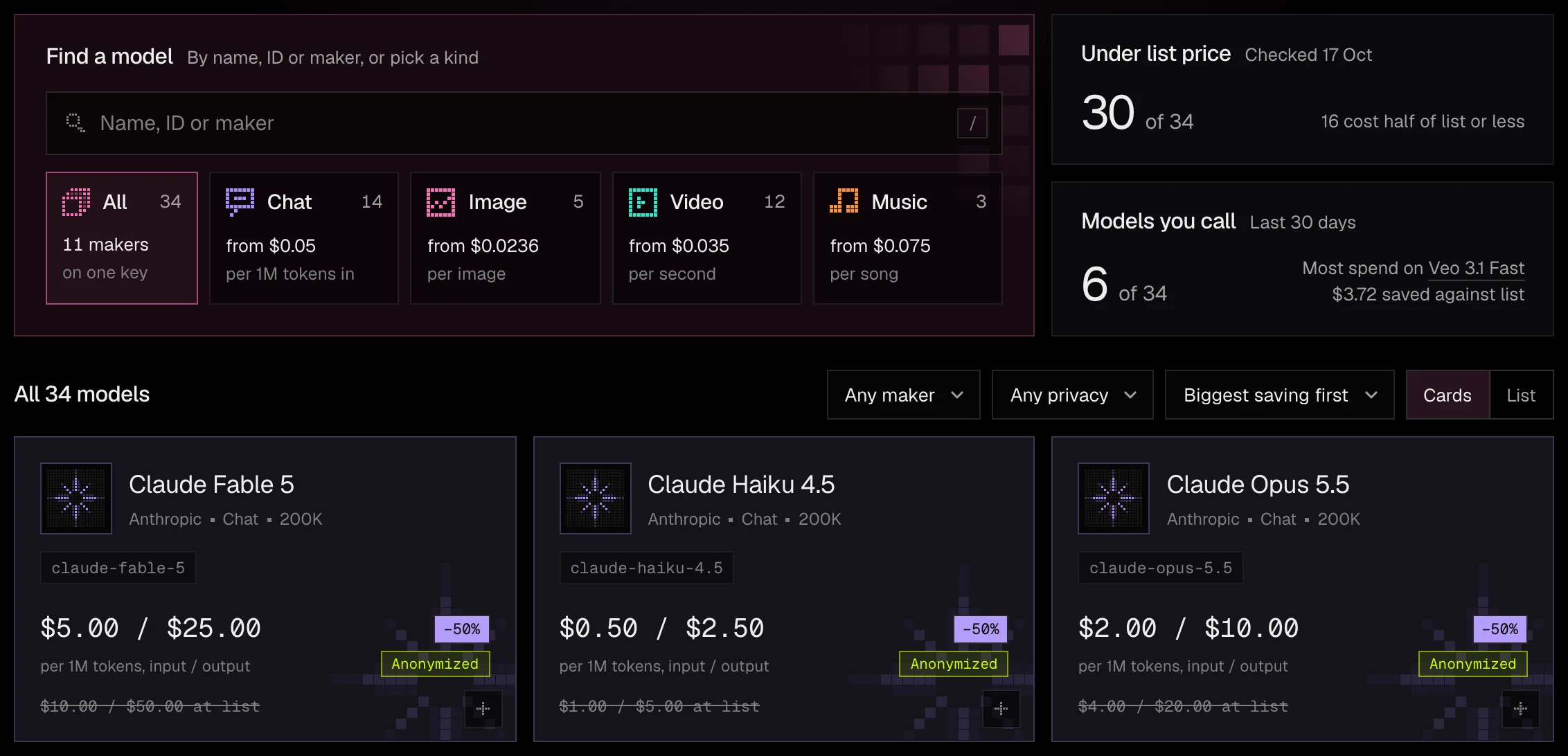
model field, and Models and the Playground shows the rest of the page.curl https://api.runmoth.si/v1/chat/completions \ -H "Authorization: Bearer $MOTH_API_KEY" \ -H "Content-Type: application/json" \ -d '{"model": "gemini-3.8-flash", "messages": [{"role": "user", "content": "Hello"}]}'
The reply is the model's answer in the usual shape, and its moth-charged-micros header says exactly what the call cost, in millionths of a dollar.
Held, then settled. Before the model runs, the call holds its worst case from your balance, and when it ends you pay only what it used. How a call is billed.